Category: Indie Hacker

  • Building Stream Katcher: Making Media Streams Easier to Manage

    Building Stream Katcher: Making Media Streams Easier to Manage

    A video on a webpage often looks like a single file. While it plays, though, the browser may request several different things: a playlist, small video segments, an audio track, or quality variants. Finding the relevant media among those requests is the problem I set out to address with Stream Katcher.

    Stream Katcher is a Chrome extension that detects and analyzes media on the current page. From the detected items, people can see what is available to download or save a video to their Library and come back to it later without downloading a file first.

    Why detecting a video takes more than finding one URL

    With a direct video such as an MP4, the file address can be straightforward. Adaptive streams such as HLS and MPEG-DASH work differently: they divide media into segments and use a manifest to describe playback. A page may also request several quality levels and audio tracks.

    If every request is treated as a separate video, the result is a confusing list of URLs and media fragments. The extension needs to consider requests in the context of the page and group related parts into a media asset that someone can inspect.

    From requests to a media asset

    Stream Katcher processes media in stages: capture requests, normalize their details, classify media types, correlate related requests, and resolve manifests when needed to build an asset. Keeping those stages distinct helps separate media detection from the interface and browser-specific APIs.

    That structure supports a more useful workflow. People can review detected media in a side panel, inspect the available choices, and decide what to do next. Instead of starting by copying URLs by hand, they start with the video already playing on the page.

    Two choices after a video is detected

    Downloading right away is not always the goal. Sometimes you want to keep a video in reach for later; at other times, you need a copy for offline use. Stream Katcher treats these as two separate paths:

    • Save to Library: keep the video and the information needed to find and open it again.
    • Download: download supported media using the options provided by its source.

    The Library is useful when choosing what to watch matters more than saving a local file immediately. When a download is needed, stream analysis helps people understand which tracks or options are available before they start.

    The hard part is handling different sources

    Websites do not all deliver video in the same way. One may use a direct file; another may use HLS, MPEG-DASH, or media assembled through Media Source Extensions. An extension has to account for these request patterns while avoiding duplicate entries for pieces of the same stream.

    A staged architecture lets me extend or fix parts of that workflow without placing all the logic in one content script or UI component. Most of that work is invisible on screen, but it determines whether the detected media list is useful or noisy.

    Use media tools responsibly

    Being able to detect a stream does not mean you have permission to download its content. Only download or save videos when you have the right to do so and when it complies with the website's terms. Stream Katcher is not intended to bypass DRM or other content protections.

    Stream Katcher is built around a simple interaction: open a video on the web, see the media the browser is using, then choose to save it or download it when the source allows. Learn more at streamkatcher.com.
  • The Indie Hacker Core Loop

    The Indie Hacker Core Loop

    The Indie Hacker Core Loop

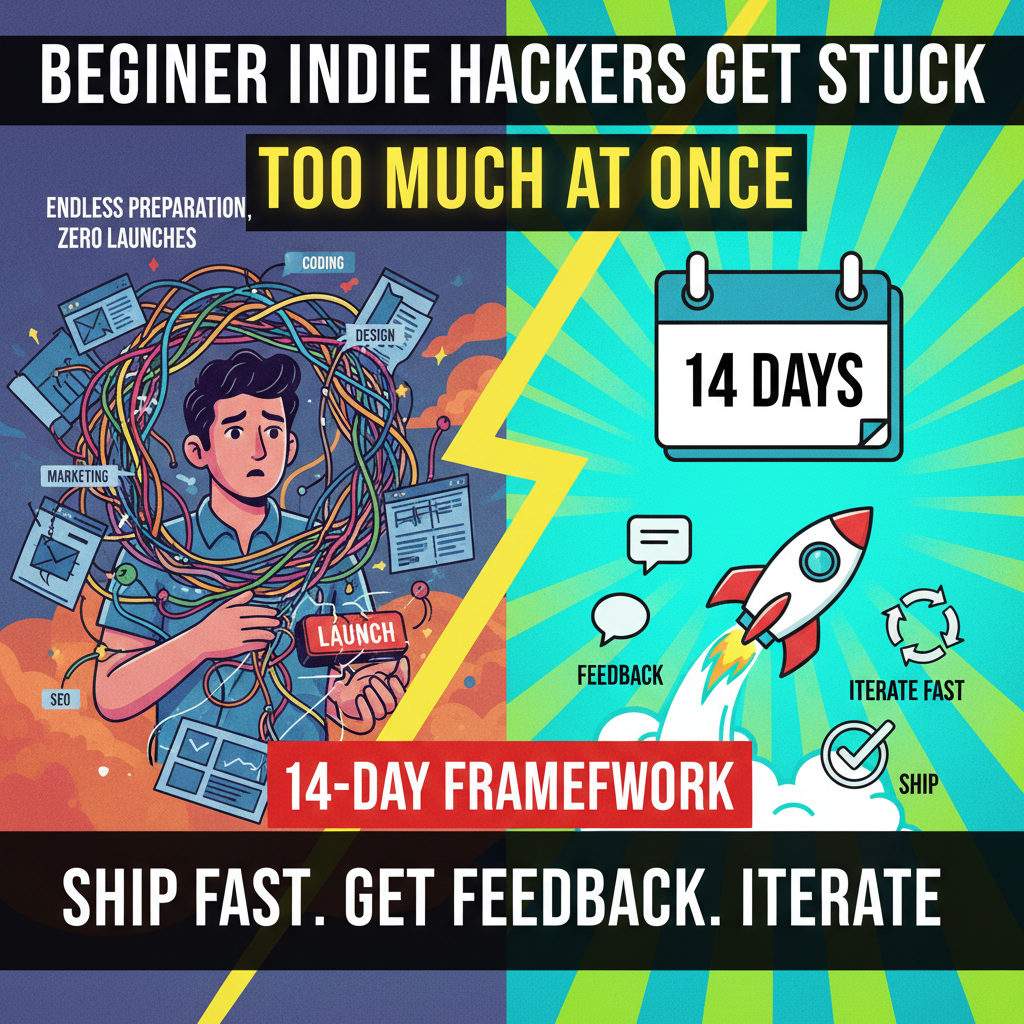
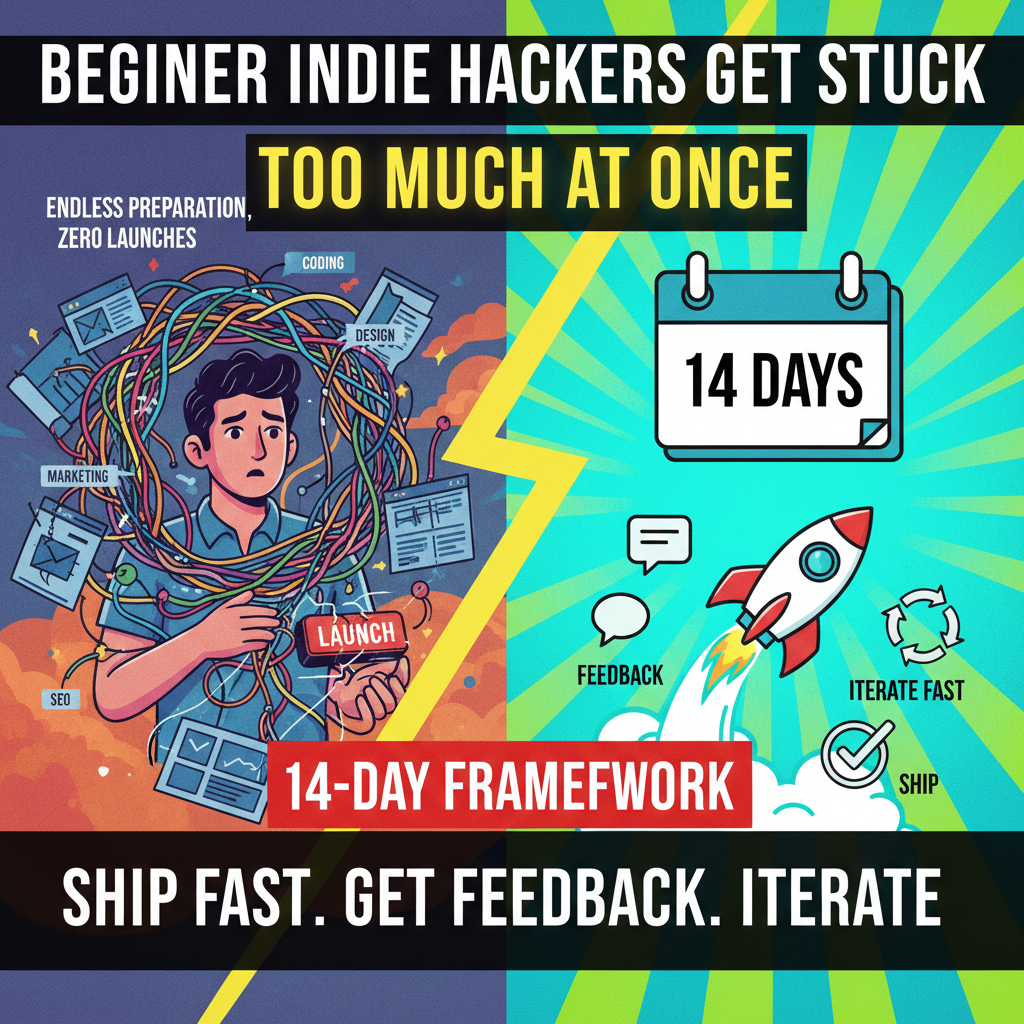
    Beginner indie hackers get stuck because they try to handle coding, design, marketing, and SEO all at once. The result: endless preparation, zero launches.

    This 14-day framework eliminates the noise. It forces you to ship, get feedback, and iterate fast.

    Day 1: Identify a Pain Point

    Focus entirely on the problem, not your software solution.

    • Goal: Pinpoint a specific daily frustration.
    • Core Questions:
      • Who has this problem? (e.g., freelance copywriters, Shopify merchants)
      • How do they solve it now? (e.g., manual copy-pasting, messy Excel files)
      • What tools are they paying for? (e.g., expensive agency software, sub-optimal plugins)
      • What is the cost of not solving it? (e.g., losing 2 hours daily, inaccurate reporting)
    • Action: Use Reddit, Google Search, and ChatGPT to list 3 potential problems.

    Day 2: Market Research

    Observe user discussions in communities (Reddit, X, Discord, Facebook groups, Product Hunt). Do not pitch. Just gather evidence.

    • Goal: List at least 10 real user complaints.
    • Where to look: Subreddits like r/shopify, r/marketing, or niche Facebook groups.
    • Log Format:
    User quote: "I hate copying my Shopify orders to Google Sheets every night."
    Current solution: Manual export/import.
    Opportunity: Automated background sync tool.
    

    Day 3: Validate Without Code

    Test market demand by posting a feedback-oriented question. Do not sell anything.

    • Goal: Get 10 comments, 5 DMs, or 5 waitlist signups.
    • Validation Template:
    I spend an hour every day manually importing invoices into my tax software.
    If there was a tool where you forward the invoice email and it automatically syncs with QuickBooks, would you pay $10/month for it?
    
    • Result: If nobody cares, pivot immediately. The pain isn't big enough.

    Day 4: Quick Branding & Landing Page

    Launch a simple page to capture emails. Spend no more than 3 hours on this.

    • Branding:
      • Name: Keep it simple (e.g., SyncCart, TaxFlow).
      • Design: Standard font, one primary color, text logo.
    • Landing Page Structure:
    Value Proposition (Headline + Slogan)
    ↓
    Problem & Solution (Short description)
    ↓
    Email Waitlist Form (CTA)
    

    Day 5: Start Building in Public

    Announce your 14-day build on X (Twitter), Reddit, or LinkedIn.

    • Goal: Establish accountability and start building an audience.
    • Launch Template:
    Day 1/14:
    I'm building SyncCart to automate Shopify-to-Sheets syncing.
    Building in public.
    Goal: Ship in 14 days, get 10 beta users.
    Follow along.
    

    Days 6 to 10: Build the MVP

    Write code for the core logic only. Spend 1-3 hours daily.

    • Development Rules:
      • Prioritize functionality over aesthetics.
      • Skip dashboards, settings, and complex auth if not critical.
      • Fix bugs that break the core loop; ignore minor design flaws.
    • Customer Discovery: DM the users who engaged on Day 3. Ask:
      • "What is the single hardest part of this task?"
      • "Why did you stop using your last solution?"
      • "What does your dream solution look like?"

    Day 11: Launch the MVP

    Deploy the product and launch it to your waitlist and communities.

    • Launch Channels: Product Hunt, Indie Hackers, target subreddits, X.
    • Launch Template:
    SyncCart is live.
    Automate your Shopify-to-Sheets orders in 1 click.
    Need brutal feedback. Please roast it.
    [Link]
    

    Day 12: Analyze & Gather Feedback

    Review user interactions and follow up immediately.

    • Metrics to Track: Signups, drop-off pages, core action completion rates.
    • Action: Email every user who signed up. Ask:
      • "Did the setup make sense?"
      • "What almost stopped you from using it?"
      • "What is missing that would make this a daily tool?"

    Day 13: Fix Bottlenecks

    Spend this day patching the biggest user drop-off points.

    • Fix List:
      • Onboarding friction (make it 1-click if possible).
      • Server errors and critical bugs.
      • Confusing UI copy.
    • Do Not: Add new features, integrations, or complex setups.

    Day 14: Review & Repeat

    Complete the first cycle and decide on next steps.

    • Daily Operating Routine:
      • Morning (30 mins): Reply to support, post updates, check database stats.
      • Afternoon: Write code, resolve tickets, optimize flows.
      • Evening: Write a 3-point daily recap:
    Today I learned: ...
    User feedback: ...
    Tomorrow: ...
    

    If the loop yields active users, double down. If there is zero interest, pivot to a new problem.

  • The Indie Hacker Paradox and Just-In-Time Learning

    The Indie Hacker Paradox and Just-In-Time Learning

    The Indie Hacker Paradox and Just-In-Time Learning

    The indie hacker goal is simple: Build a product and get users.

    Yet, you often get overwhelmed by a massive list of skills:

    • Development: Frontend (NextJS, React), Backend (NodeJS, Go), Database (Postgres, Supabase), Servers.
    • Operations: UI/UX (Figma), Marketing (X, Reddit), SEO, Copywriting, AI, Analytics, Sales, Support.

    Your brain asks: "What should I learn first?"

    You don't need to master all of them. You only need to master one core loop.

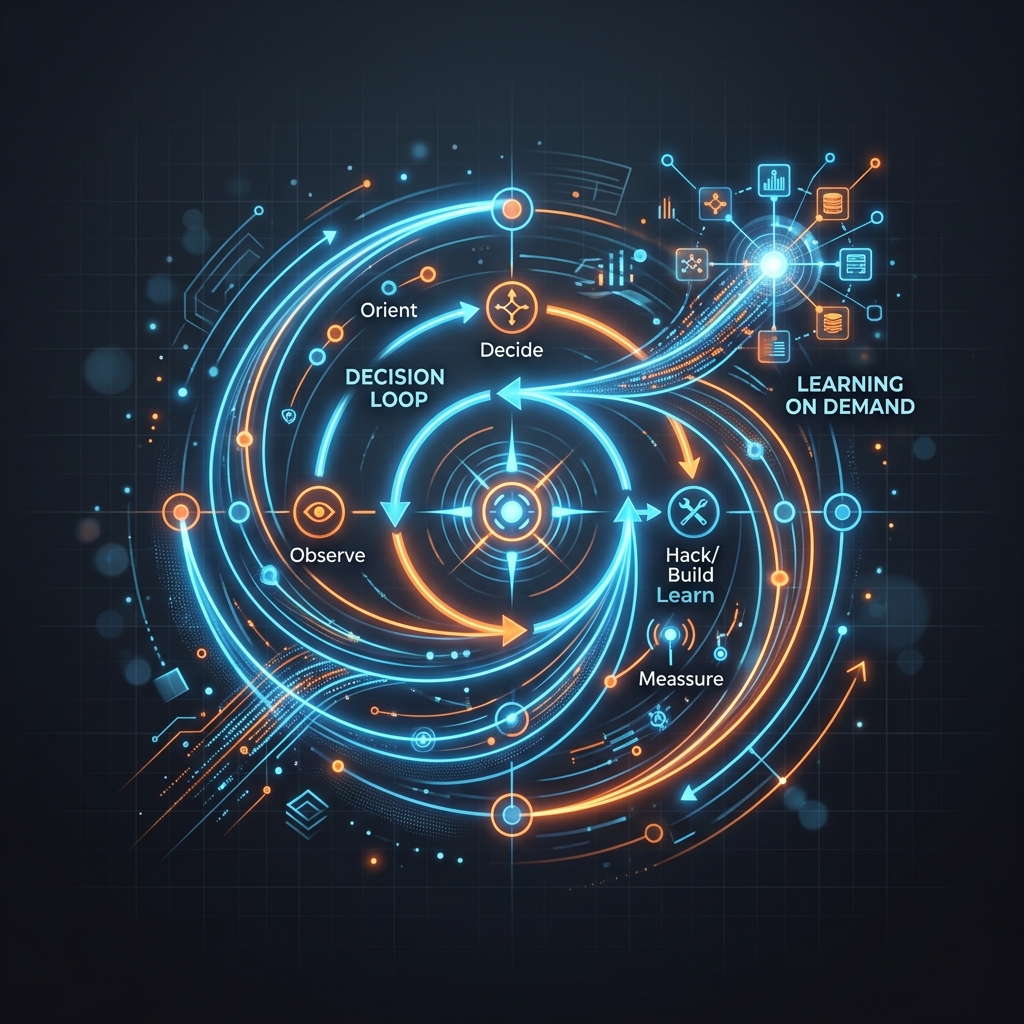
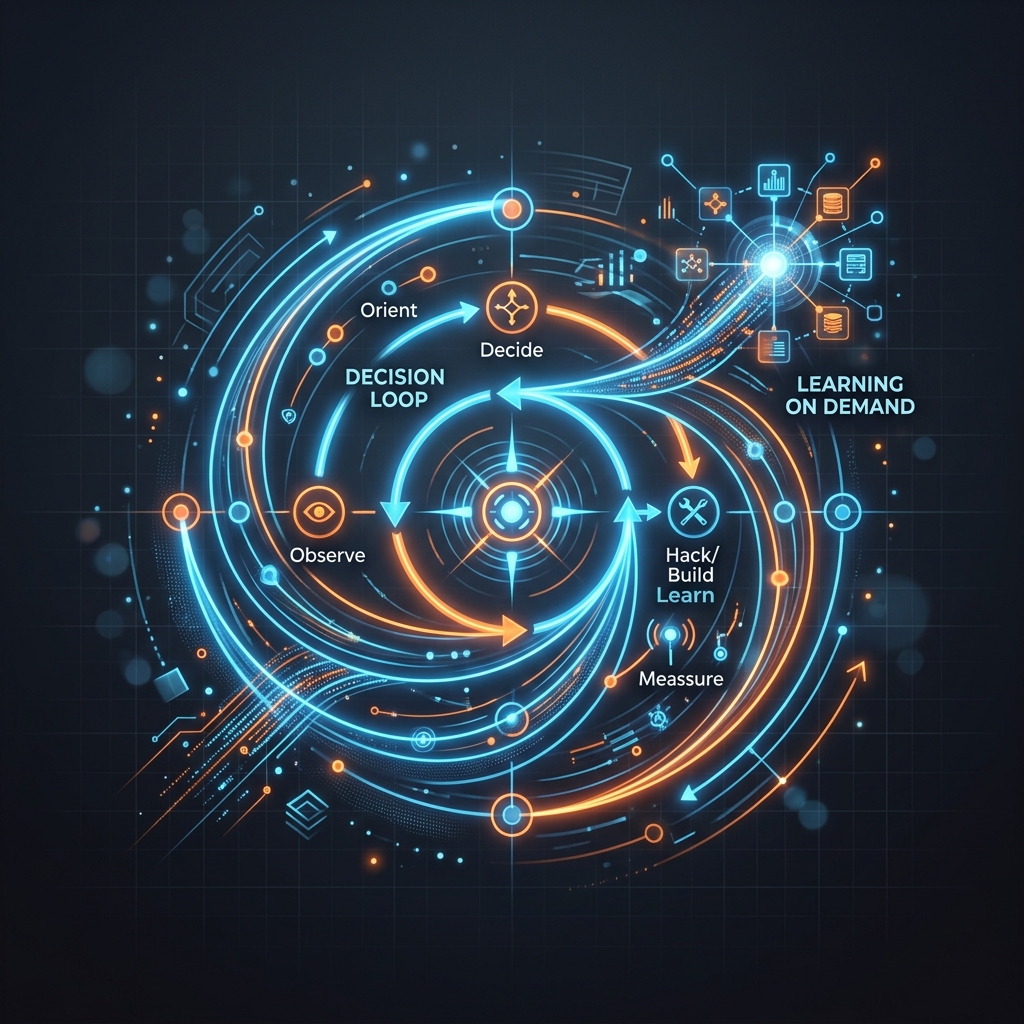
    The Indie Hacker Loop

    Every other skill is only valuable if it serves this cycle:

    flowchart TD
        A[Observe Problem] --> B[Build Tiny MVP]
        B --> C[Get It to Users]
        C --> D[Collect Feedback]
        D --> E[Iterate]
        E --> A
    

    Two Mentalities: Overload vs. Focus

    1. The Overload Mentality (Information Paralysis)

    Developers often construct an intimidating map of prerequisites before writing code:

    graph TD
        IH[Indie Hacker] --> Build[Build:<br/>NextJS, AI<br/>Database, Cloud]
        IH --> Marketing[Marketing:<br/>SEO, Ads<br/>Content, Social]
        IH --> Research[Research:<br/>Competitors<br/>AI News, Trends]
        IH --> Design[Design:<br/>Figma, Tailwind<br/>Assets]
        IH --> Admin[Admin:<br/>Analytics, Sales<br/>Support]
    

    Result: You feel "unprepared" and never launch.

    2. The Successful Indie Hacker Mentality

    They simplify their entire focus down to a single goal: Get 10 real users.

    graph LR
        Goal((Goal: 10 Users)) --> MVP[1. Build MVP Fast]
        Goal --> Find[2. Find 10 Users]
        Goal --> Chat[3. Talk to them]
        Goal --> Iterate[4. Fix bugs]
    
    • SEO? Not yet.
    • Ads? Not yet.
    • New Frameworks? Not yet.
    • Daily AI News? Not yet.

    Just-In-Time Learning

    Traditional learning (learn first, build later) fails solo devs. Switch to Just-In-Time learning: Build -> Hit Roadblock -> Learn the Specific Solution -> Resume.

    Real-world examples:

    • Week 1 (Build SaaS MVP): The app needs Google Login.
      • Action: Learn only how to integrate Auth (Clerk or Next-Auth). Ignore SEO and Ads.
    • Week 3 (5 active users): You don't know which features they use.
      • Action: Integrate PostHog or Google Analytics in under an hour.
    • Week 5 (Need organic traffic): You want the landing page to rank on Google.
      • Action: Learn basic SEO Meta tags to optimize the landing page.

    Developer Strengths and Traps

    • Strengths: High curiosity, love for building systems (e.g., custom boilerplates, configuring servers).
    • Weakness (The Trap): Believing "To build X, I must first master A, B, C, D, and E."
    flowchart TD
        X[Need Feature X] --> A[Learn Library A]
        A --> B[A recommends<br/>Architecture B]
        B --> C[B has newer<br/>Framework C]
        C --> D[Must learn Tool D<br/>to run C]
        D --> Stuck[Stuck for 3 months<br/>No Launch]
    

    The Solution: Switch to Action-Based Goals

    Set a clear, rigid action goal to kill perfectionism: Ship 12 tiny products in 12 months.

    Your new prioritization list:

    Task Priority Real-world example
    Build MVP Fast 10/10 Code the app core functionality in 3-5 days.
    Talk to Users 10/10 Send direct messages to 5 users on Reddit/X.
    Ship Product 10/10 Post the live link on Product Hunt and X.
    Basic Marketing 7/10 Write a simple text post explaining the problem.
    UI/UX Polish 5/10 Use a UI template; do not design custom buttons.
    Optimize Codebase 1/10 Use a simple database (Supabase/Vercel KV).

    Are you preparing to be an indie hacker, or are you actually building? A real indie hacker isn't someone who knows everything; they are someone lacking resources who ships anyway.

    What is your single KPI from now until the end of the year?

    • Ship 12 products?
    • Find your first 100 users?
    • Earn your first $100?

    Pick a concrete target and start tomorrow.